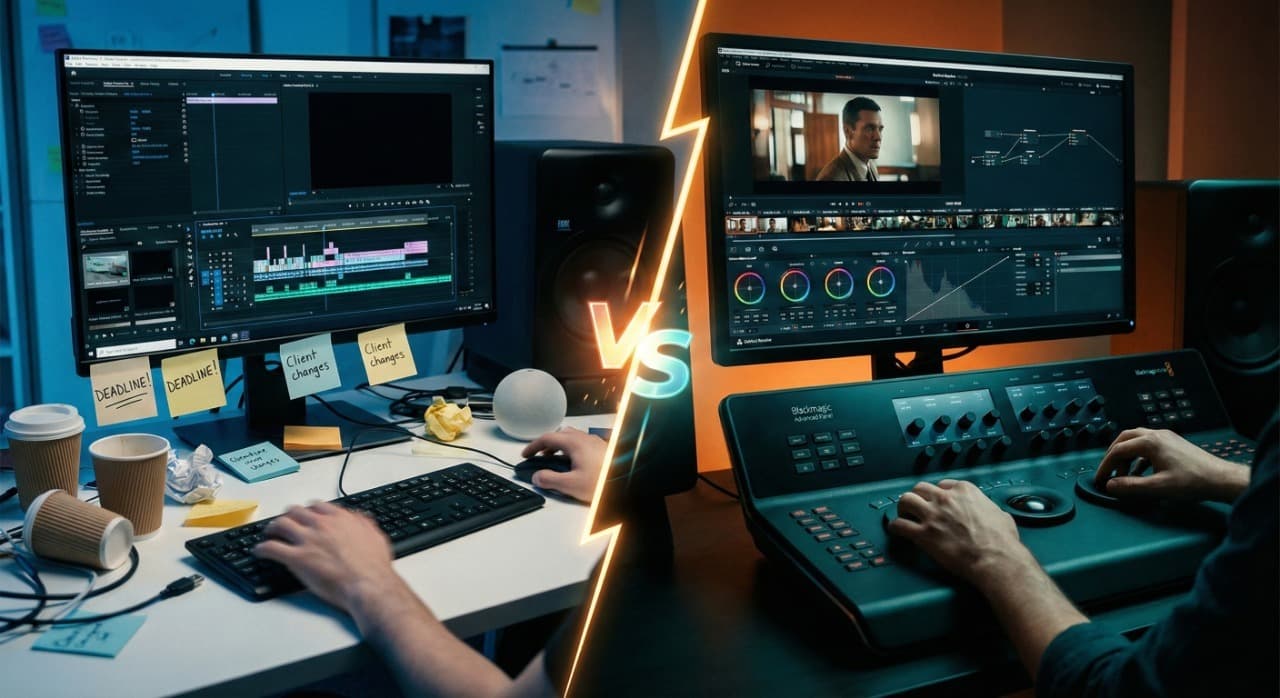
If you are a video editor, you have had "The Conversation."
You know the one. It usually happens after Premiere Pro crashes for the third time in an hour, or when you see that monthly Creative Cloud charge hit your credit card. You look at your monitor and whisper, "Should I just move to DaVinci?"
Five years ago, this wasn't a real question. Premiere was for editors; DaVinci was for colorists. They stayed in their lanes.
But in 2026, the lines aren't just blurred—they are gone. Blackmagic Design has turned Resolve into a full-blown NLE (Non-Linear Editor) that rivals, and in some ways embarrasses, the Adobe ecosystem. Yet, Hollywood still cuts on Premiere. Agencies still send .prproj files.
I have edited feature-length docs on Premiere and high-end commercials on Resolve. I've paid the subscriptions and I've bought the dongles. If you are standing on the edge of the cliff, wondering if you should jump, here is the brutal truth about both platforms.
The "At a Glance" Cheat Sheet
For the editors on a deadline, here is the raw data.
| Feature |
Adobe Premiere Pro |
DaVinci Resolve Studio |
| Best For |
Industry Standard (Agencies, Collab, Legacy) |
Power User (Color, Solo Freelancers, VFX) |
| Pricing Model |
Monthly Subscription (~$22–$60/mo) |
One-Time Payment ($295) or Free Version |
| Stability |
Notorious for crashing ("Save Often" life) |
Rock solid (Optimized for heavy lifting) |
| Learning Curve |
Moderate (Intuitive layer-based editing) |
Steep (Node-based VFX and Color) |
| Hardware Usage |
CPU Heavy (Needs a fast processor) |
GPU Heavy (Needs a powerful Graphics Card) |
| Audio |
Decent (Essential Sound panel) |
Superior (Fairlight is a full DAW built-in) |
| Collaboration |
Team Projects (Cloud-based) |
Blackmagic Cloud (Database-based) |
The Incumbent: Adobe Premiere Pro
The Language Everyone Speaks
You cannot talk about professional editing without bowing to the king. Premiere Pro is the Microsoft Word of video. Everyone uses it.
The "Ecosystem" Argument
The biggest reason to stay with Premiere isn't the software itself—it's the neighbors. Dynamic Link is magic. Being able to right-click a clip, select "Replace with After Effects Composition," do your VFX work, and see it update instantly on your timeline is a workflow that DaVinci still struggles to replicate smoothly.
If you work with Photoshop files, Illustrator logos, and After Effects animations, the Adobe Creative Cloud is a walled garden that is very, very comfortable.
The "Agency" Factor
If you are a freelancer wanting to pick up gig work from ad agencies or other production houses, you need Premiere. 90% of the time, when a client says, "We'll send you the project file," they are sending a Premiere project. If you only know Resolve, you are locking yourself out of a massive chunk of the freelance market.
The Downside: The "Rental" Life
You never own Premiere. You rent it. Over 5 years, you will pay Adobe upwards of $3,000. Stop paying, and you can't open your old work. That psychological weight is real, and it's the main reason people look for an exit.
The Challenger: DaVinci Resolve Studio
The Heavyweight Champion
DaVinci Resolve feels like it was built by engineers who actually edit video. It feels dense, heavy, and incredibly powerful.
The "Free" vs. "Paid" Myth
First, let's clarify: The free version of Resolve is better than most paid software. But the "Studio" version (the $295 one-time fee) is where the magic happens. It unlocks the Neural Engine (AI features), superior noise reduction, and multi-GPU support.
And yes, you read that right. $295. Once. You own it forever. You get updates forever. It is arguably the best value deal in the entire software industry.
The Stability Difference
This is the big one. Because DaVinci relies heavily on your GPU (Graphics Card) rather than just hammering your CPU, it tends to be much more stable when handling 4K or 6K footage. When you scrub through a timeline in Resolve, it feels "buttery." Premiere often feels like it's chugging, even on a high-end rig.
The "All-in-One" Workflow
Resolve isn't just an editor. It has "Fusion" (VFX) and "Fairlight" (Audio) built into the bottom tabs. You don't open a separate app to fix audio; you just click the tab.
The Catch: Fusion is "Node-based," not "Layer-based" like After Effects. If you have spent 10 years using layers, Nodes will make your brain hurt for the first month. It is a completely different way of thinking.
Round 1: Color Grading
Winner: DaVinci Resolve (By a Mile)
This isn't a fair fight. Resolve started as a color grading suite for Hollywood movies. Its color tools are surgical. The "Color Page" gives you control over your image that Premiere's "Lumetri Color" simply cannot touch.
If you are shooting Log footage (S-Log3, C-Log) and want your work to look cinematic, Resolve is the tool. Lumetri is fine for quick corrections, but it falls apart if you push the footage too hard.
Round 2: The "Edit" Page
Winner: Premiere Pro (Barely)
For pure cutting—just chopping footage and moving it around—Premiere still has the edge in muscle memory. The timeline tools, the ripple edits, and the keyboard shortcuts in Premiere feel slightly more fluid for "offline" editing (storytelling).
Resolve's "Cut Page" is interesting for speed, but its main "Edit Page" can feel a bit rigid compared to Premiere's flexible, "throw anything anywhere" timeline.
Round 3: Performance & Hardware
This is critical for your wallet.
Premiere Pro is CPU-dependent. If you want Premiere to run fast, you spend money on a Threadripper or an Intel i9 with high clock speeds.
DaVinci Resolve is GPU-dependent. It eats VRAM. If you want Resolve to fly, you buy the biggest NVIDIA RTX card you can afford.
The Reality: If you have a mediocre laptop, Premiere will actually run better. Resolve refuses to run well on weak hardware. It demands a dedicated GPU. If you are on a budget MacBook Air, stick to Premiere (or Final Cut). If you have a beastly PC tower, Resolve will unleash its full power.
Round 4: Audio Production
Winner: DaVinci Resolve
Fairlight is a full-blown Digital Audio Workstation (DAW) built right into Resolve. You can do professional-grade audio mixing, sound design, and podcast editing without ever leaving the application. It supports industry-standard audio hardware and features like ADR recording, audio sweetening, and spatial audio mixing.
Premiere's Essential Sound panel is serviceable for basic cleanup—noise reduction, leveling, and simple EQ. But if you're doing anything beyond basic audio work, you're bouncing to Audition or another external DAW.
Round 5: VFX & Motion Graphics
Winner: It Depends
This is where things get nuanced:
- After Effects Integration: If you already know After Effects and rely on its ecosystem of plugins, templates, and motion graphics, Premiere + AE is still the smoother workflow.
- Fusion's Power: If you're willing to learn nodes, Fusion can do 90% of what After Effects does—and it's built right into Resolve. No round-tripping. No separate subscription.
For green screen work, 3D compositing, and complex motion tracking, Fusion is genuinely powerful. But be prepared for a steep learning curve if you're coming from layer-based software.
Round 6: Collaboration & Team Workflows
Winner: Adobe Premiere Pro
Team Projects in Premiere lets multiple editors work on the same project via Creative Cloud. It's not perfect—conflicts happen, and you need solid internet—but it works.
DaVinci has Blackmagic Cloud and a PostgreSQL database workflow for collaboration, but it requires more technical setup. For large post-houses and managed environments, it's powerful. For freelancers just trying to share a project with a partner, it's overkill.
The Real-World Cost Breakdown
Let's talk money over a 5-year period:
| Scenario |
Adobe Premiere Pro |
DaVinci Resolve Studio |
| Year 1 |
$264 (at $22/mo) |
$295 (one-time) |
| Year 2 |
$528 (cumulative) |
$295 (still zero) |
| Year 3 |
$792 |
$295 |
| Year 4 |
$1,056 |
$295 |
| Year 5 |
$1,320 |
$295 |
| 5-Year Total |
$1,320–$3,600 |
$295 |
The math speaks for itself. If you're a solo creator or small studio, that's potentially $1,000–$3,000 saved over five years.
The Verdict: Who Wins in 2026?
We need to stop looking for a "Perfect" editor. There isn't one. There is only the right tool for your career path.
Stick with Adobe Premiere Pro If:
- You are a Freelancer for Hire: You need to fit into existing pipelines. You need to open client files. You need to collaborate with After Effects artists.
- You Edit "Fast & Dirty": Social media clips, corporate interviews, and content where "good enough" is the goal. Lumetri Color is faster than building Node trees.
- You Hate Learning Curves: If you know how layers work, you know Premiere.
Switch to DaVinci Resolve If:
- You are a "One-Man Band": You shoot, edit, color, and mix everything yourself. The all-in-one workflow is a dream for solo creators.
- You are Tired of Subscriptions: You want to pay once and own your tools.
- You Care About "The Look": If you are obsessing over color grades, film grain, and visual fidelity, you have outgrown Premiere.
My Personal Recommendation
Download the free version of DaVinci Resolve today. Don't cancel your Adobe subscription yet. Use Resolve for one personal project—maybe a travel video or a YouTube short.
Force yourself to learn the Nodes. Feel the stability. Then, look at your Adobe bank statement and decide if the "Industry Standard" is still worth the rent.
The QuickDLR Solution
Whichever software you choose, you're going to need assets—stock footage, templates, motion graphics, and music. That's where QuickDLR comes in.
With QuickDLR, you can fetch supported listings from Envato Elements, Motion Array, Storyblocks, and the other sites we list — under one QuickDLR account. Marketplace licenses still apply.
Compare daily limits on the pricing page. Sign in with Google to start.
Disclaimer: Prices and features mentioned are accurate as of 2026. Always check system requirements before purchasing expensive software licenses.